16 years one-stop China custom CNC machining parts factory

Hey there I’m VMT Sam!
With 25 years of CNC machining experience we are committed to helping clients overcome 10000 complex part-processing challenges all to contribute to a better life through intelligent manufacturing. Contact us now
 240 |
Published by VMT at Aug 24 2026 | Reading Time:About 7 minutes
240 |
Published by VMT at Aug 24 2026 | Reading Time:About 7 minutes


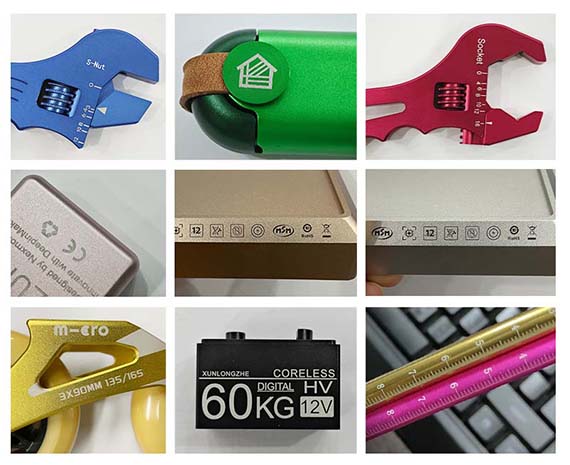
Text and logos that look clear in CAD can become difficult to read after CNC machining if the strokes are too narrow, the engraving is too deep, or the cutter cannot reproduce small details. Burrs, lost features, higher machining costs, and poor appearance after anodizing can often be prevented through proper engraving DFM before production.
For general CNC text and logo engraving, recessed engraving is usually more economical than raised text. Sans-Serif fonts and 20 pt+ text are practical DFM recommendations, while approximately 0.3 mm is a useful engraving-depth reference. Smaller text or different depths may also be possible depending on stroke width, cutter geometry, material, part geometry, and finishing requirements.
To design engraving correctly, you should evaluate font geometry, character size, minimum stroke width, engraving depth, cutter selection, material behavior, tool access, surface finishing, and inspection as one complete manufacturing system.
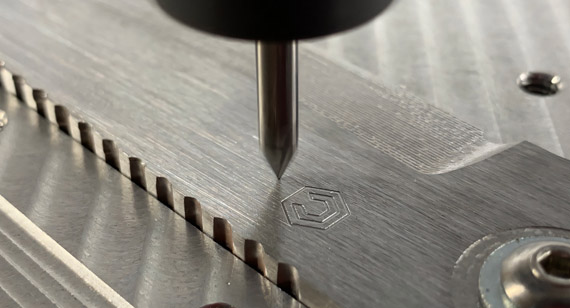
CNC engraving is a machining process that uses a cutting tool to remove material from the surface of a part and create recessed text, numbers, symbols, scales, patterns, or logos.
Unlike printing, the mark becomes a physical feature of the component.
CNC engraved features are commonly used for:
Engraving can often be completed during the same CNC milling or machining setup used to manufacture the component. This can make it easier to control the relationship between the engraved feature and machined holes, edges, datums, pockets, or other functional geometry.
However, the quality of the final engraving depends heavily on how the text or logo is designed.
The following values are practical starting points for CNC engraved text and logos. They are design recommendations rather than fixed machining limits.
| Design Factor | Practical Guideline | Why It Matters |
| Text type | Recessed engraving is preferred when suitable | Requires less material removal than raised text |
| Font style | Sans-Serif is recommended | Fewer thin decorative details and simpler toolpaths |
| Font size | 20 pt+ is a practical starting recommendation | Larger strokes are easier to machine clearly and consistently |
| Smaller text | Can also be possible | Actual limit depends on stroke width, cutter, material, depth, and setup |
| Engraving depth | Approximately 0.3 mm is a useful reference | Provides a visible recessed feature without unnecessary machining |
| Stroke width | Must match cutter geometry | Extremely narrow strokes may disappear or become distorted |
| Internal corners | Expect a tool radius | Rotating cutters cannot create infinitely sharp internal corners |
| Character spacing | Avoid excessively narrow gaps | Helps preserve readability and tool access |
| Logo placement | Keep adequate cutter access | Walls, pockets, curves, and nearby features can restrict the tool |
| Surface finishing | Plan before engraving | Anodizing, coating, plating, polishing, and blasting can change the final appearance |
The most important point is that font size and engraving depth should not be evaluated independently.
A 20 pt simple Sans-Serif font can be easier to machine than a larger decorative font with extremely narrow strokes.
Likewise, a 0.3 mm engraving depth may work well for one logo but may be too deep for a very small character if the cutter geometry causes the groove to become wider as it cuts deeper.
One of the first decisions when adding text or graphics to a CNC machined part is whether the feature should be engraved into the surface or raised above it.
Recessed CNC Engraving
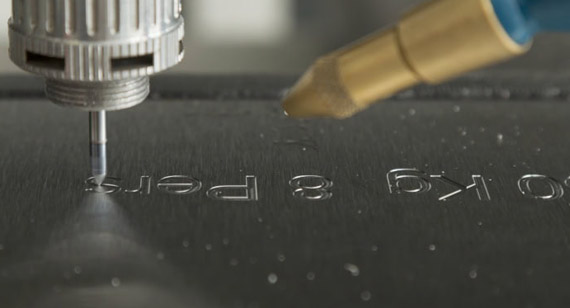
Recessed engraving removes material only where the letters, numbers, or logo are located.
Typical advantages include:
Because the engraving is below the original part surface, it can also provide better resistance to abrasion than a surface-applied printed mark.
Raised or Relief Text
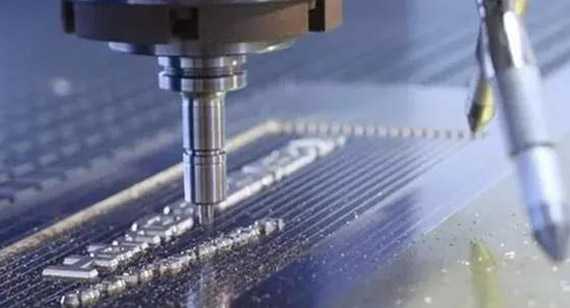
Raised text remains above the surrounding surface.
To create this feature by CNC machining, the cutter normally needs to remove material around the letters rather than only cutting the text itself.
This usually results in:
However, raised text still has useful applications.
It may be appropriate when your product needs:
| Factor | Recessed Engraving | Raised / Relief Text |
| Material removal | Mainly text or logo area | Surrounding surface |
| Machining time | Usually lower | Usually higher |
| Cost | Usually lower | Usually higher |
| Tactile feature | Recessed | Raised |
| Tool access | Usually easier | More demanding |
| Common use | Logos, numbers, scales, labels | Decorative or functional raised features |
Tip: If your design does not specifically require a raised three-dimensional feature, recessed CNC engraving is usually the more efficient option.
What Font Styles Are Recommended for CNC Engraving?
CNC engraving is not limited to Sans-Serif fonts.
Serif fonts, script fonts, custom brand typefaces, symbols, and complex logos can also be CNC machined when their geometry is suitable.
However, simple Sans-Serif fonts are commonly recommended because they usually have:
Examples include:
These characteristics make the text easier to machine and help reduce the need for extremely small engraving cutters.
Can Serif or Decorative Fonts Be CNC Engraved?
Yes.
The challenge is not the font category itself but the geometry inside the font.
Decorative fonts may contain:
If those details are too small for the selected cutter, several options are possible:
If a specific brand font is important to your product identity, you do not need to replace it automatically with Sans-Serif text.
The correct approach is to review the actual vector or CAD geometry.
Single-Line vs Outline Text for CNC Engraving
CNC text can also be designed in different geometric styles.
Single-Line or Centerline Text
A single-line engraving follows the center path of each character.
It is useful for:
Because the cutter follows a relatively short path, this type of engraving can reduce machining time.
Outline Text
Outline engraving follows the outside geometry of thicker characters.
It is often used for:
Outline text may require more toolpath length than centerline engraving, especially when the characters are large or complex.
The correct choice depends on the appearance you need rather than one method being universally better.
For general CNC engraving, 20 pt or larger is a practical DFM recommendation.
It is not the smallest text that CNC machining can produce.
Smaller text may also be possible, particularly in softer and easily machinable materials, when the character geometry, cutter size, stroke width, engraving depth, machine stability, and tool access are suitable.
The reason 20 pt+ is recommended is primarily manufacturing efficiency and process stability.
Larger characters normally provide:
This can make them easier and more economical to manufacture.
What Actually Determines the Minimum CNC Engraving Size?
The point size alone does not determine whether text can be machined.
Several factors are more important.
1. Minimum Stroke Width
The narrowest stroke in the character is one of the most important dimensions.
The engraving cutter must physically fit inside that feature.
If the stroke is narrower than the cutter can reproduce, you may see:
This is why two fonts with the same 20 pt size can have completely different machinability.
2. Cutter Diameter and Tip Geometry
Smaller text generally requires a smaller engraving cutter.
Using a smaller cutter allows narrower features to be reached, but smaller tools also have lower rigidity.
This can increase sensitivity to:
The objective is therefore not simply to use the smallest cutter possible.
The cutter must match the text geometry, material, and required depth.
3. Font Geometry
A simple 16–20 pt font may sometimes be easier to machine than a larger decorative font.
Important geometric factors include:
This is why the vector file or CAD geometry is more useful to the CNC engineer than font size alone.
4. Material
Material machinability also affects the minimum practical engraving size.
Aluminum and some brass alloys generally allow efficient small-feature machining.
Stainless steel and titanium place greater demands on small cutters because tool wear, heat, cutting forces, and burr formation become more important.
Softer or easily machinable metals may therefore allow slightly smaller text when the engraving geometry and process are suitable.
5. Engraving Depth
Smaller text does not always work well with deeper engraving.
As engraving depth increases:
This is particularly important when using tapered engraving tools.
6. Machine and Fixture Stability
Small engraved features are more sensitive to:
A stable machining setup therefore becomes increasingly important as the text becomes smaller.
For many CNC machined text and logo applications, approximately 0.3 mm is a practical engraving-depth reference.
It can provide a clearly recessed physical feature without requiring unnecessary material removal.
However, 0.3 mm is not a fixed maximum or minimum.
CNC engraving can be shallower or deeper depending on:
The correct engraving depth should match the function of the mark.
Why Is Approximately 0.3 mm a Useful Reference?
For many general CNC machined parts, approximately 0.3 mm provides a useful balance between:
A deeper engraving is not automatically better.
If the design only needs a cosmetic logo or fine identification, a shallower feature may preserve small details more effectively.
If the engraving needs to withstand wear or receive paint filling, a deeper groove can be considered.
When Is Shallower CNC Engraving Useful?
Shallower engraving can be suitable for:
Reducing depth can help preserve fine geometry because the cutter does not need to enter as deeply into the part.
When Is Deeper CNC Engraving Useful?
Deeper engraving can be considered for:
The design still needs to maintain enough stroke width and surrounding material to support the deeper feature.
What Happens If CNC Engraving Is Too Deep?
Excessive engraving depth can create several problems.
Character Strokes Can Become Wider
With a tapered or V-shaped engraving cutter, the tool becomes wider as it enters deeper into the material.
As a result:
greater depth can produce a wider engraved line.
For large lettering, this may not be a problem.
For very small text, however, deeper engraving can cause:
Cutter Load Increases
Deeper engagement increases cutting forces on the engraving tool.
This can result in:
Machining Time Increases
Deeper engraving may require additional controlled passes.
This increases cycle time and therefore machining cost.
Burr Formation Can Increase
Deeper grooves can generate more material at the edge of the character, particularly in ductile materials.
For this reason, font size, stroke width, cutter angle, cutter diameter, and engraving depth should be reviewed together.
The engraving tool has a direct effect on line width, corner shape, depth, surface quality, and machining time.
V-Shaped Engraving Cutters
V-shaped engraving cutters are commonly used for:
They can produce sharp-looking characters and adapt well to different line widths.
However, because the cutter is tapered, the groove becomes wider as machining depth increases.
This makes cutter angle and engraving depth important when machining small text.
Small-Diameter End Mills
Small end mills can be useful when a relatively constant-width groove is required.
They are suitable for:
Because the tool has a fixed diameter, the minimum internal corner radius is related to the cutter radius.
Micro Engraving Tools
Very fine engraving tools can be used for small details.
They can help reach narrower strokes, but the trade-off is reduced rigidity.
The machining process therefore needs tighter control of:
Tip: A smaller tool can improve access to fine details, but it may also increase cycle time and tool risk. The most economical solution is usually to use the largest cutter that can accurately reproduce the design.
Different materials behave differently when machining small text and logos.
Aluminum CNC Engraving
Aluminum is widely used for CNC engraved components because of its good machinability.
It is suitable for:
Aluminum can also support relatively fine engraving when the cutter and machining parameters are suitable.
Common risks include:
VMT controls these risks through suitable engraving cutters, machining parameters, toolpath control, deburring, and finishing coordination.
Stainless Steel CNC Engraving
Stainless steel can create durable engraved markings but requires greater attention to:
Very small or deep features may require a more conservative machining strategy than equivalent aluminum features.
Brass and Copper CNC Engraving
Brass generally provides good machinability and can produce sharp engraved details.
Copper behavior depends on the specific alloy and condition.
Key considerations include:
Titanium CNC Engraving
Titanium can also be CNC engraved, but small-tool machining requires tighter control.
Key risks include:
The text geometry and depth should therefore be reviewed together with the titanium grade and part design.
Engineering Plastic CNC Engraving
CNC engraving can also be used on materials such as:
Depending on the plastic, risks can include:
Sharp cutters and controlled heat generation are particularly important when engraving engineering plastics.
Even a well-designed font can become difficult to engrave if the logo is located in an inaccessible area.
Flat Surfaces
Flat, open surfaces are usually the easiest areas to engrave.
They provide:
This is often the most economical location for CNC engraved branding.
Cylindrical Parts
Cylindrical components such as:
may require:
The engraving toolpath must follow the curved surface while maintaining the required position and depth.
Curved and Angled Surfaces
Complex surfaces may require:
The objective is to maintain the cutter orientation relative to the surface while avoiding collisions.
Engraving Inside Deep Pockets
A logo inside a pocket can be more difficult than a same-sized logo on an external surface.
Problems may include:
In these cases, tool access may become more important than font size.
Engraving Near Edges, Holes, and Thin Walls
Text should not be placed unnecessarily close to:
Additional clearance helps reduce machining risk and makes inspection easier.
CNC engraving problems usually come from the relationship between text geometry, tool geometry, material, machining depth, and the finishing process.
| Problem | Root Cause | Recommended Solution |
| Small text becomes unclear | Stroke width too narrow | Increase stroke width or use a finer engraving tool |
| Fine logo details disappear | Cutter too large for the geometry | Optimize logo geometry or cutter size |
| Internal corners are rounded | Rotating cutter has a physical radius | Allow a suitable radius or adjust the design |
| Burrs appear around letters | Material behavior, tool wear, or cutting strategy | Use sharp tools, controlled cutting parameters, and appropriate deburring |
| Engraved line becomes too wide | Tapered cutter is cutting too deep | Match cutter angle and engraving depth to required line width |
| Depth varies across the logo | Surface or Z-reference variation | Improve datum control and fixture stability |
| Small cutter breaks | Excessive cutting load or insufficient rigidity | Reduce depth per pass and optimize tool selection |
| Logo loses clarity after coating | Finishing thickness was not considered | Coordinate engraving depth with the surface finish |
| Logo position varies | Weak datum or orientation control | Reference engraving to machined features |
| Cosmetic scratches appear | Deburring or handling damage | Protect cosmetic surfaces and control manual finishing |
| Batch appearance changes | Tool wear or process variation | Control tool life and validate first articles |
Burrs are especially visible on small text because a very small raised edge can noticeably change the appearance of the character.
Burr control should begin during machining.
Important factors include:
Post-machining deburring must also be controlled.
Aggressive manual sanding or polishing can damage:
For appearance-sensitive parts, the deburring method should therefore be selected together with the final surface-finish requirements.
Engraving should not be designed independently from the surface finish.
Anodizing, coating, plating, polishing, and blasting can all change the way text and logos look after manufacturing.
CNC Engraving Before Anodizing
For many aluminum components, the engraving is completed before anodizing.
A typical process is:
Because the engraving is completed before anodizing, the exposed aluminum inside the groove is also anodized.
This is suitable when you want a permanent recessed logo integrated into the finished part.
CNC Engraving and Bead or Sand Blasting
Bead blasting or sand blasting changes the surface texture.
Very fine engraving can become visually softer depending on the blasting parameters and process sequence.
The engraving depth and logo geometry should therefore be coordinated with the required blasted finish.
CNC Engraving and Powder Coating
Powder coating adds a relatively thick coating layer compared with many other finishes.
If the engraving is very shallow, the coating can reduce the apparent depth and make small characters less clear.
For powder-coated parts, the following should be reviewed together:
CNC Engraving and Plating
Plating deposits material onto the component surface.
Very fine or shallow engraving can therefore appear slightly softer after plating.
When the engraved geometry is important, the expected coating buildup should be considered during DFM.
CNC Engraving and Polishing
Polishing can round the edges of engraved characters if it is performed too aggressively after engraving.
For appearance-critical parts, machining and finishing may need to follow a controlled sequence:
CNC machining → engraving → deburring → polishing → final finish → inspection.
CNC engraving cost is affected by more than logo size.
Important cost factors include:
How Can You Reduce CNC Engraving Cost?
You can often reduce cost without significantly changing the visual design.
Use Recessed Text Where Possible
This avoids machining large surrounding areas to create raised features.
Avoid Unnecessarily Small Text
If the product has enough space, slightly increasing text size can reduce cutter and machining-time requirements.
Simplify Extremely Fine Details
Removing tiny graphic details that are not visible at normal viewing distance can improve machining stability.
Avoid Excessive Engraving Depth
A deeper groove requires more machining but does not always improve readability.
Place the Logo on an Accessible Surface
Engraving during the main CNC setup is generally more efficient than adding a special orientation or secondary setup.
Design the Logo Together With the Surface Finish
This helps prevent expensive rework after anodizing, plating, or coating.
CNC engraving quality depends on controlling the complete manufacturing process rather than only programming the logo.
DFM Review
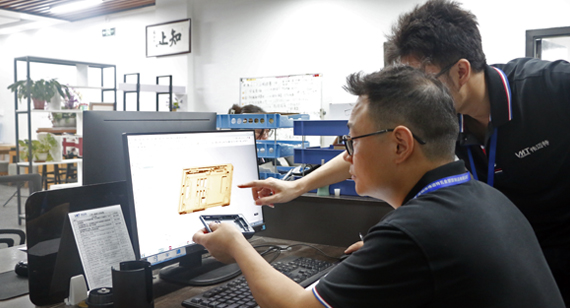
Before machining, VMT can review:
For general designs, 20 pt+ text and approximately 0.3 mm engraving depth remain useful DFM references, while smaller text or other depths can be evaluated according to the actual geometry.
Cutter Selection
VMT selects the engraving tool according to:
This may include V-shaped cutters, engraving tools, or small end mills.
The objective is to reproduce the required geometry without using an unnecessarily small or fragile cutter.
Fixture and Datum Control
The engraved logo often needs to maintain a controlled relationship with other CNC machined features.
The machining setup therefore considers:
This is particularly important for:
Toolpath and Depth Control
For suitable designs, CNC engraving depth can be controlled through the programmed Z-axis toolpath.
Deeper or more demanding features may use controlled passes to reduce:
For tapered cutters, depth is also reviewed together with the resulting groove width.
Burr Control
Small engraved characters can lose definition if burr removal is uncontrolled.
VMT coordinates machining and deburring to remove unwanted edges without damaging the character geometry or surrounding cosmetic surface.
Tool Wear Control
Fine engraving is sensitive to tool condition.
As a cutter wears:
Tool condition should therefore be monitored during repeat production.
In-Process and Final Inspection
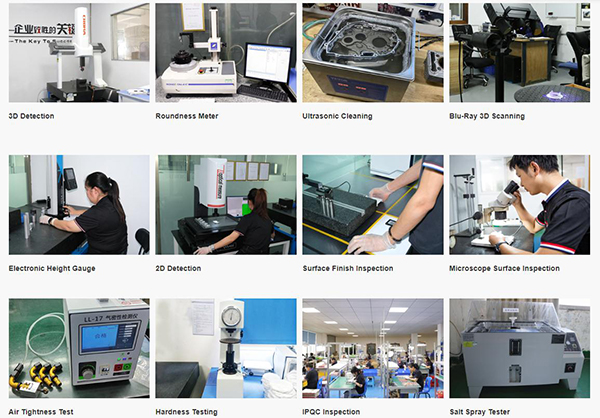
Depending on the drawing requirements, engraving inspection can include:
Critical machined dimensions can also be inspected together with the overall CNC part using appropriate dimensional inspection equipment.
Project Background
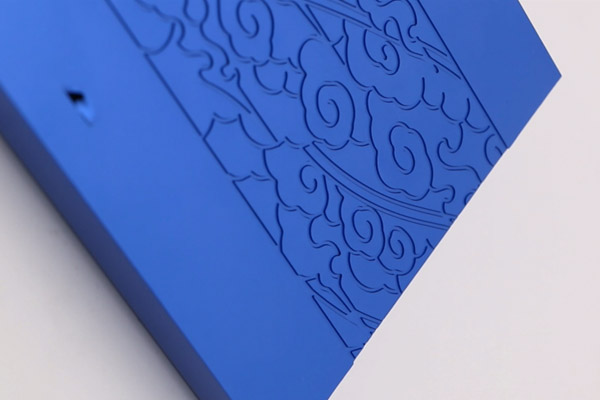
A customer required a CNC machined aluminum housing with a recessed company logo and product identification text on a visible cosmetic surface.
The part also required anodizing after machining.
The design used simple text in the 20 pt+ range with an engraving depth of approximately 0.3 mm.
Project Challenge
The main challenge was not simply achieving the nominal font size or engraving depth.
The design also needed to maintain:
Root Cause Analysis
During DFM review, several factors were identified as directly affecting the engraving quality.
Minimum Stroke Width
Some logo details were significantly narrower than the main characters, so the complete vector geometry had to be checked rather than relying only on the nominal font size.
Cutter Geometry
The required depth had to remain compatible with the line width so the cutter would not make the fine strokes excessively wide.
Burr Formation
Aluminum machines efficiently but fine engraving edges can still develop burrs if tooling and cutting conditions are not controlled.
Surface-Finishing Sequence
The engraving needed to remain clear after anodizing, so machining, deburring, cosmetic preparation, and anodizing had to be planned as one sequence.
VMT Solution
The engineering team reviewed the customer's 2D drawing, 3D model, and vector logo file.
The manufacturing process included:
Result
The prototype confirmed that:
The approved machining and finishing process was then used as the reference for repeat production.
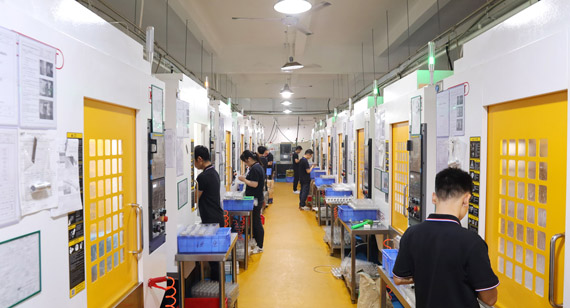
Providing clear manufacturing information helps reduce quotation errors, DFM revisions, and production delays.
3D CAD Model
Provide a STEP, STP, IGES, or another suitable CAD file showing the complete part geometry.
This helps the CNC engineer evaluate:
2D Manufacturing Drawing
Use the 2D drawing to specify:
Vector Logo File
Vector files are preferred for custom logos because they provide clean geometry.
Useful file formats may include:
Surface-Finishing Requirement
Specify whether the component requires:
This helps determine the correct engraving and finishing sequence.
Cosmetic Acceptance Requirements
If the logo is located on a visible surface, specify:
CNC engraving is a strong option when you need a physical recessed mark, but it is not always the best process for every logo.
Other marking methods may be more suitable when you need extremely fine details, variable information, or specific colors.
Laser Engraving
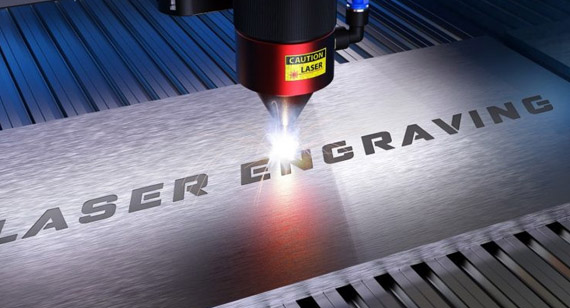
Laser engraving is useful for:
If your project is deciding between these two processes, compare CNC engraving vs laser engraving before finalizing the drawing.
Screen Printing
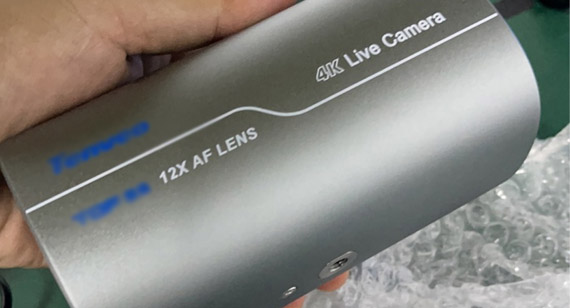
Screen printing is useful when you need:
Pad Printing
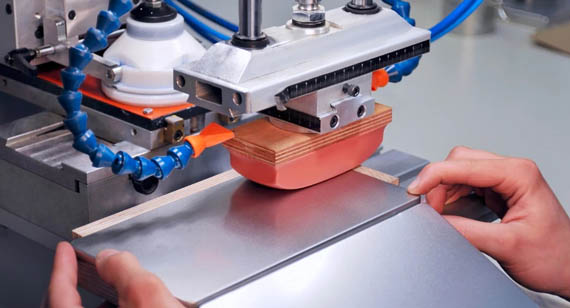
Pad printing can be useful for some:
Chemical Etching
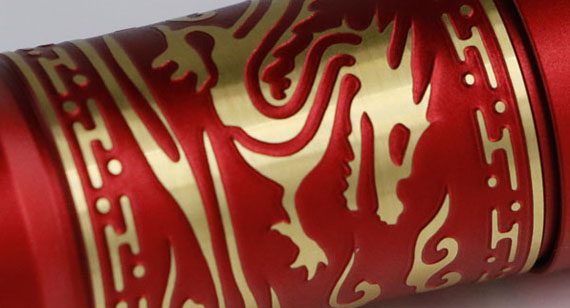
Chemical etching can be used for fine permanent metal patterns and certain recessed graphics.
For a broader marking comparison, see laser engraving vs etching vs screen printing.
Good CNC engraving is not determined by font size alone.
The final quality depends on the relationship between:
font geometry + stroke width + cutter size + engraving depth + material + part geometry + surface finishing + inspection.
For general CNC engraving, Sans-Serif fonts, 20 pt+ text, and approximately 0.3 mm engraving depth are useful DFM recommendations, but they are not fixed machining limits. Smaller text, custom fonts, and different engraving depths can also be manufactured when the actual geometry and machining conditions are suitable.
VMT reviews CNC text and logo engraving together with your complete manufacturing process, including DFM, CNC milling, turning, multi-axis machining, cutter selection, burr control, surface finishing, dimensional inspection, prototype validation, and repeat production.
If your part requires custom text, logos, serial numbers, scales, or engraved graphics, upload your 2D drawing, 3D CAD model, and logo file. VMT can review the font geometry, stroke width, engraving depth, cutter access, material, and surface-finishing requirements and provide DFM feedback before prototype or batch production.
Send your 2D drawings, 3D CAD models, logo/vector file, material, engraving depth, surface-finish requirements, prototype quantity and production quantity. VMT will review your text and logo geometry, cutter access, machining risks, finishing sequence and manufacturing requirements.
All information and uploaded files are secure and confidential.
1 Tell us what you need
2 Get solution & quote
3 Approve production
Email: inquiry@vimetal.com.cn
What Font Styles Are Recommended for CNC Engraving?
Simple Sans-Serif fonts are commonly recommended because they usually have wider, cleaner strokes and fewer decorative details.
However, they are not the only fonts that can be CNC engraved.
Serif fonts, script fonts, and custom brand logos can also be machined if their stroke width, spacing, cutter access, and engraving depth are suitable.
What Is the Recommended Font Size for CNC Engraving?
For general CNC engraved text, 20 pt+ is a practical DFM recommendation because larger characters are generally easier to machine clearly and consistently.
It should not be interpreted as a fixed machine limit.
Can CNC Engraving Be Smaller Than 20 Pt?
Yes.
Smaller text can be possible when:
The actual CAD or vector geometry should be reviewed before determining manufacturability.
Why Can Softer Metals Support Smaller Engraved Text?
Softer or easily machinable metals can reduce cutting load on small tools and may allow finer machining strategies.
However, machinability is only one factor.
Stroke width, cutter geometry, engraving depth, burr behavior, and machine stability still need to be considered.
What Is a Typical CNC Engraving Depth?
For many general text and logo applications, approximately 0.3 mm is a practical engraving-depth reference.
The final value can be shallower or deeper according to the design and application.
Can CNC Engraving Be Deeper Than 0.3 mm?
Yes.
Deeper engraving can be used for tactile marks, paint filling, heavy-wear applications, or specific customer requirements.
The depth should remain compatible with stroke width, cutter geometry, wall thickness, and material.
Why Does Deeper V-Bit Engraving Make the Line Wider?
A V-shaped cutter has a tapered geometry.
As it enters deeper into the material, a wider portion of the cutter engages the part.
This increases the resulting groove width.
For very small text, excessive depth can therefore cause narrow gaps and fine details to disappear.
Can Custom Brand Fonts Be CNC Engraved?
Yes.
Custom fonts should be reviewed from the actual logo vector geometry.
Important factors include:
Minor DFM adjustments can sometimes improve manufacturability without changing the overall visual identity.
Why Do CNC Engraved Letters Have Rounded Internal Corners?
CNC engraving uses a physical rotating cutter.
The tool has a finite diameter or tip radius, so perfectly sharp internal corners cannot always be reproduced.
The final internal corner geometry depends on the selected engraving tool.
How Do You Prevent Burrs on Engraved Aluminum Text?
Burr control can include:
The deburring process also needs to avoid rounding the fine text or scratching the cosmetic surface.
Should CNC Engraving Be Done Before Anodizing?
For many recessed aluminum engraving applications, yes.
Engraving before anodizing allows the recessed surface to receive the anodized finish together with the rest of the part.
However, if you need a contrasting mark after anodizing, laser engraving may be considered instead.
Is Engraved Text Cheaper Than Raised Text?
In many CNC machining applications, yes.
Recessed engraving removes material only along the characters or logo, while raised text normally requires machining the surrounding material away.
This usually makes raised text more time-consuming.
Can Logos Be CNC Engraved on Curved Parts?
Yes.
Depending on the geometry, curved-surface engraving can use:
Tool access and surface curvature should be reviewed from the 3D CAD model before manufacturing.


 +86 15099911516




 Read more